

I bought the D-Line Cable Management Box for the mess under my desk, not my TV stand, and after six weeks of actually living with it in a home office, I want to walk through the stuff the five-star reviews and the manufacturer photos don't mention. Not because it's a bad product, it isn't, but because I went in expecting a magic disappearing act and got something a little more real: genuinely tidier, occasionally fussy, and worth the honest breakdown before you click buy.
My setup is a laptop dock, two monitors, a desk lamp, and a phone charger, all feeding into one power strip that used to sit exposed on the floor next to a wastebasket, looking like something out of a hardware store clearance bin. I ordered the D-Line box hoping it would swallow the whole mess in one afternoon. It mostly did. But there were three or four moments in the first two weeks where I stopped and thought, huh, nobody mentioned that, and those moments are what this review is actually about.
I want to be clear up front that I'm not trying to talk anyone out of this box. I still use it every day and I'd still recommend it to a friend setting up a home office. But I read six or seven glowing reviews before I bought mine, and not one of them mentioned the things that actually surprised me once it was sitting under my own desk. So consider this the review I wish I'd found before I clicked order, written by someone who has no reason to pretend it's perfect.
The Quick Verdict
It cleans up a desk setup well, but the fit with bulky laptop power bricks and the rough-edged cutouts are two things I wish someone had warned me about first.
Amazon Check Today's Price →Before you add this to cart, know what you're actually getting
The D-Line box handled my desk cord pile, mostly. Here's what I'd tell you if you called me before buying it.
Amazon Check Today's Price on Amazon →How I Actually Used It In My Home Office
I set this up in the spare bedroom I turned into a home office two years ago, the kind of room where the desk faces a window and the cords collect behind a filing cabinet where nobody but me ever looks. Before the box, I had a power strip, a laptop dock brick, a monitor cable running to a second screen, a desk lamp cord, and a phone charger, all tangled into a pile roughly the size of a soccer ball sitting on the floor under the desk.
I measured the power strip length before ordering, same as every buying guide tells you to, and picked the medium box. It arrived flat-packed in a surprisingly small envelope, which in hindsight should have tipped me off that setup involved more finesse than I expected. The whole thing took about fifteen minutes, five of which were spent figuring out which pre-scored tabs to punch out for my specific cord count instead of just guessing.
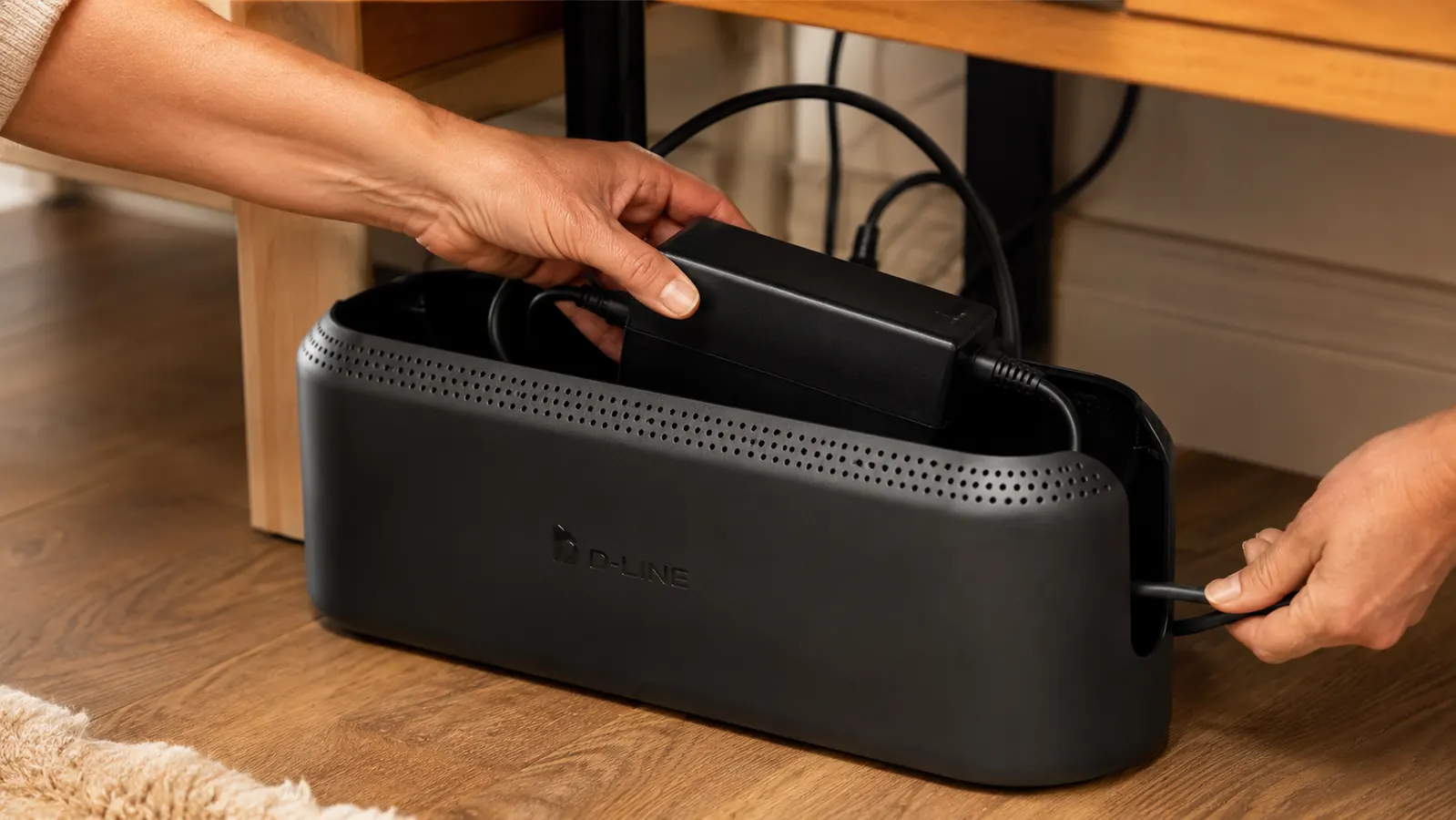
I didn't do anything elaborate. I fed the power strip, the dock brick, and the loose cords through two cutouts, coiled the slack loosely so nothing pinched, and tried to click the lid shut. That last part is where the honest part of this review starts, because it wasn't quite as effortless as it looked in the listing photos.
The First Week: What Surprised Me
The box smelled distinctly like new plastic for the first day, strong enough that I left it on the back porch overnight before bringing it inside. It faded by the second day and I haven't noticed it since, but if you're sensitive to that new shower curtain smell, give it twenty four hours outside before you tuck it under your desk where you'll be breathing near it for eight hours a day.
Punching out the cord cutouts left a slightly jagged edge on two of the four I used, sharp enough that I nicked the side of my finger threading a cable through one of them. It's not dangerous, just unexpected, and a quick pass with a fingernail file smoothed it down in under a minute. Nobody mentions this step in the product photos, because the photos never show the punching-out part at all.
The lid clipped shut with more resistance than I expected the first few tries, enough that I worried about cracking a corner if I pressed unevenly. Lining both sides up flat and pressing down evenly solved it, but my first attempt involved one hand holding a laptop dock brick in place while I fumbled with a lid that didn't want to cooperate, which is its own kind of Monday morning frustration nobody warns you about.
By day four, none of this felt like a big deal anymore. I'd learned the trick of pressing from the center out instead of one corner first, and the lid started clicking shut on the first try almost every time. I mention the rough first week not to scare anyone off, but because I think a lot of one-star reviews come from people who gave up during exactly this stage instead of pushing through it.
The Power Brick Problem Nobody Mentions
Here's the part that would have changed my decision if I'd read it beforehand. My laptop dock uses a wall wart style power brick, the chunky rectangular kind, not a slim cord. It fits inside the box fine on its own, but combined with the power strip and three other adapters, the lid sat slightly proud on one side instead of clicking fully flush. I could still close it, it just took a firm press and didn't have the satisfying seal I got when I tested it with fewer cords the first time.
If your setup includes more than one bulky brick, and a lot of home office setups do between a monitor power supply, a dock, and sometimes a printer, measure the width of your fattest adapter, not just the length of your power strip, before you order. I'd size up if I were doing this again, and I say that as someone who already thought I'd measured carefully the first time around.
I ended up rearranging which adapters went where inside the box twice before I found a layout that let the lid sit flush most of the time. It's a solvable problem, but it's genuinely a puzzle-solving exercise, not the drop-it-in-and-forget-it experience the marketing implies. If you're someone who doesn't want to fiddle with adapter placement on a Sunday afternoon, that's worth knowing going in.
Does It Actually Hide Everything on a Desk Setup?
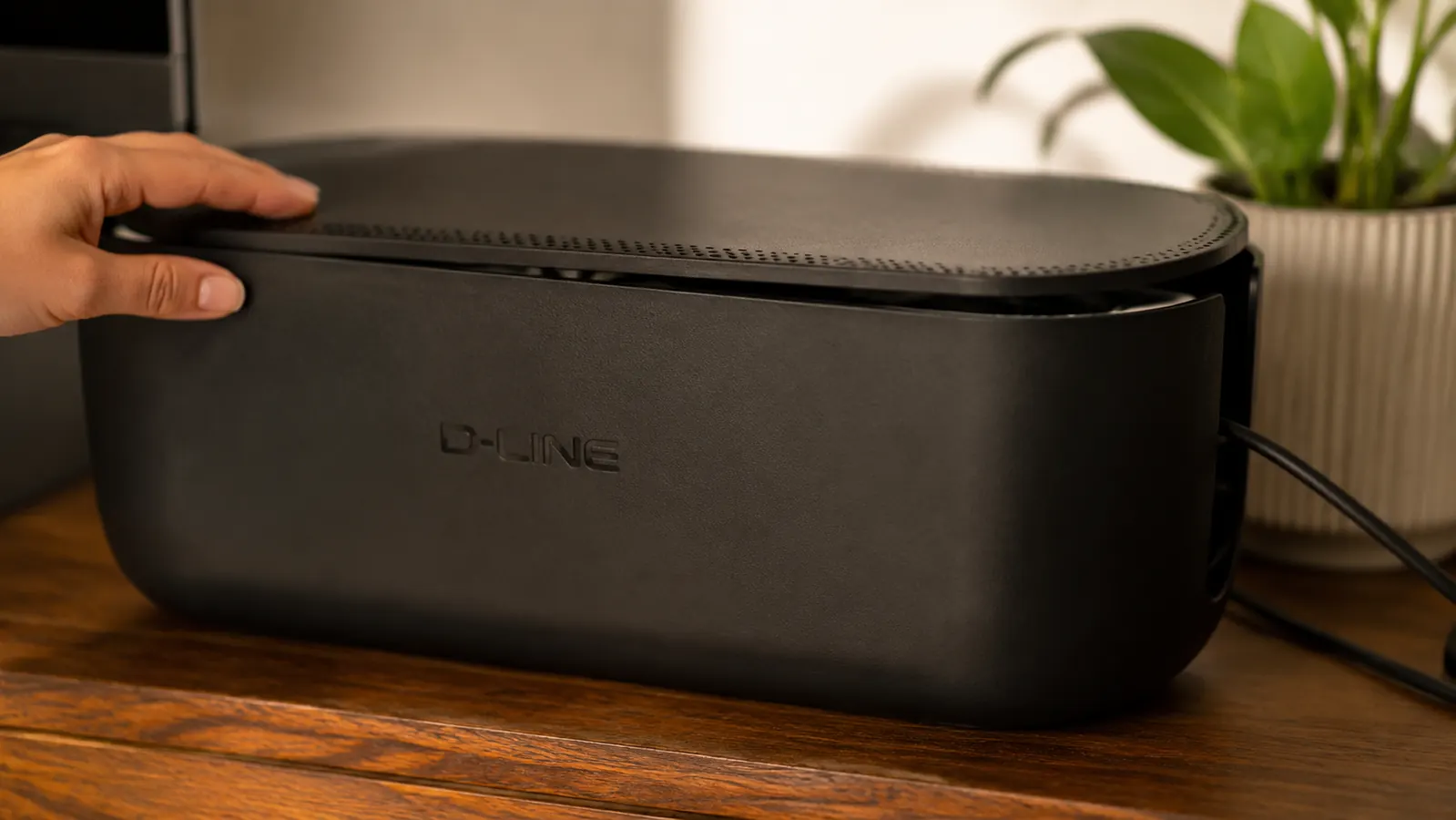
Mostly, yes, but not completely, and this is the honest part most reviews skip. The box handles the horizontal run under my desk, the power strip and the tangle of adapters plugged into it. What it doesn't handle is the vertical run, the monitor cable and lamp cord that still travel up from the box to the desktop through open air, because my desk doesn't have a built in cable grommet.
From where I sit, it looks clean. Bend down and look under the desk from the side, and you'll still see two cords making their way up and over the edge of the box before they disappear behind the filing cabinet. It's a massive improvement over the soccer ball tangle I had before, just not the fully invisible after photo you see in some listings, which tend to only show cords that terminate at floor level and skip anything running up to a desktop.
I want to be fair here, this isn't really a fault of the box, it just isn't designed to solve that particular part of a home office setup. A box that sits on the floor was never going to hide a cord running up to your monitor. I only bring it up because the product photos and a lot of the reviews frame this as a complete cord solution for a desk, and in my experience it's more accurate to call it most of the solution.
The Close Up Look vs the Across the Room Look
This is the thing nobody puts in a review because it's not a functional flaw, it's a cosmetic one, and cosmetic flaws are easy to leave out. From across the room, on a video call, or from the doorway, the box looks like a smooth, off white rectangle that blends into the baseboard. Nobody joining my calls has ever asked what it is.
Get down on the floor and look at it up close, though, and you'll see faint seam lines where the two halves meet, along with a couple of small tool marks near the hinge that you'd only notice if you were specifically looking for them. It's not a defect, it's just injection molded plastic doing what injection molded plastic does. If you're the type who inspects a product closely before deciding it passes muster, know that the far away view and the close up view are genuinely different experiences with this box.
None of this bothered me enough to consider returning it, and I want to be honest about that too. I noticed the seam lines exactly once, while writing this review and looking specifically for flaws to mention. On every other day, I've walked past this box under my desk without giving it a second thought, which honestly might be the most telling thing I can say about it.

What I'd Do Differently If I Bought It Again
I'd buy the next size up, even though my power strip technically fit the medium. The extra two or three inches would have given the lid room to sit flush with all four adapters plugged in, instead of me pressing down every time I add a cable, which happens more often than I'd like in a home office where equipment changes every few months as I add or swap gear.
I also looked at a fabric cord sleeve as a cheaper option before buying this, the zip around kind that wraps a bundle of wires. It would have handled the vertical cables I mentioned earlier, the ones running up to my desktop, better than the box does on its own. If I did this again, I'd actually combine the two, the box for the power strip and adapters on the floor, a short sleeve for the two cords that still run exposed up the side of the desk to the monitor and lamp.
I'd also skip the porch-airing step by ordering a few days before I actually needed it set up, so the plastic smell has time to fade on its own schedule instead of mine. Small thing, but it would have saved me an evening of stepping around a box on the back porch while I waited for it to be ready to bring inside.
What I Liked
- Cleared the tangled cord pile off the floor under my desk in one afternoon
- Vented sides kept the power strip from feeling warm even with five things plugged in
- No tools or drilling needed, easy for a rented home office
- Matte off white finish looks neutral enough to sit in view of a video call background
- Lid lifts easily when I need to swap a cable or reset the dock
Where It Falls Short
- Bulky power bricks can keep the lid from sitting fully flush if you have more than one
- Pre scored cutout edges are a little jagged and can nick a finger the first time you punch them out
- New plastic smell needs about a day to air out before it's odor free
- Doesn't hide vertical cords running up to a desktop without a grommet
- Sizing guidance only accounts for cord length, not the width of wide wall wart adapters
It's not the invisible cord fix the after photos promise. It's a genuinely tidier desk with two or three quirks nobody put in the listing.
Who This Is For
If your desk cord situation is one power strip and a handful of standard cords with maybe one bulky brick, this is a fast, honest fix that'll clear the floor under your desk in an afternoon. It's especially good for a home office in a rented space, or a room you don't want to drill into for a grommet, and for anyone who wants a video call background that doesn't have a cord pile sitting in the corner of the frame.
It's also a solid pick if you're the type who doesn't mind a short learning curve in exchange for a genuinely tidier result, since the first week of figuring out the lid and the cutouts is easily the roughest part of owning this thing.
Who Should Skip It
If you're running two or more bulky power bricks, like a monitor power supply plus a laptop dock plus a printer adapter, size up before you buy or look elsewhere, because the medium box will technically fit them but won't close as flush as the photos suggest. And if your setup includes cords that need to travel vertically up to desktop height, like a monitor arm or a desk lamp, know going in that this box only solves the floor level tangle, not the full path from floor to desktop.
If jagged cutout edges or a day of new plastic smell would genuinely bother you, or you want a product that looks flawless under close inspection rather than just from a few feet away, this probably isn't the box that ends your search. It's a solid, honest fix, not a flawless one, and I think that's a fair way to think about it before you order.
Know the tradeoffs, still think it's worth it?
It cleared my desk cord pile in an afternoon, brick issues and all. Check today's price and pick a size bigger than you think you need.
Amazon Check Today's Price on Amazon →